



04 Mar How to Use Microsoft Bob: A Beginner’s Guide
Back in 1995, Microsoft Bob launched with one goal: make computers friendly for regular people. The software cost $99 and promised to change how everyday users interacted with machines. Today, it’s remembered as one of the biggest software flops in tech history.
Fewer than a million users bought it before Microsoft quietly discontinued the program. Yet this failed experiment holds real lessons about interface design and user experience. These lessons still matter in 2024.
Let me walk you through Microsoft Bob with fresh eyes. This isn’t about mocking a piece of computing history. I want to show you what the microsoft bob interface actually attempted to do.
You’ll learn how it worked and why understanding it matters. Maybe you’re curious about retro computing or studying what went wrong in UI design. This guide breaks it down in practical terms.
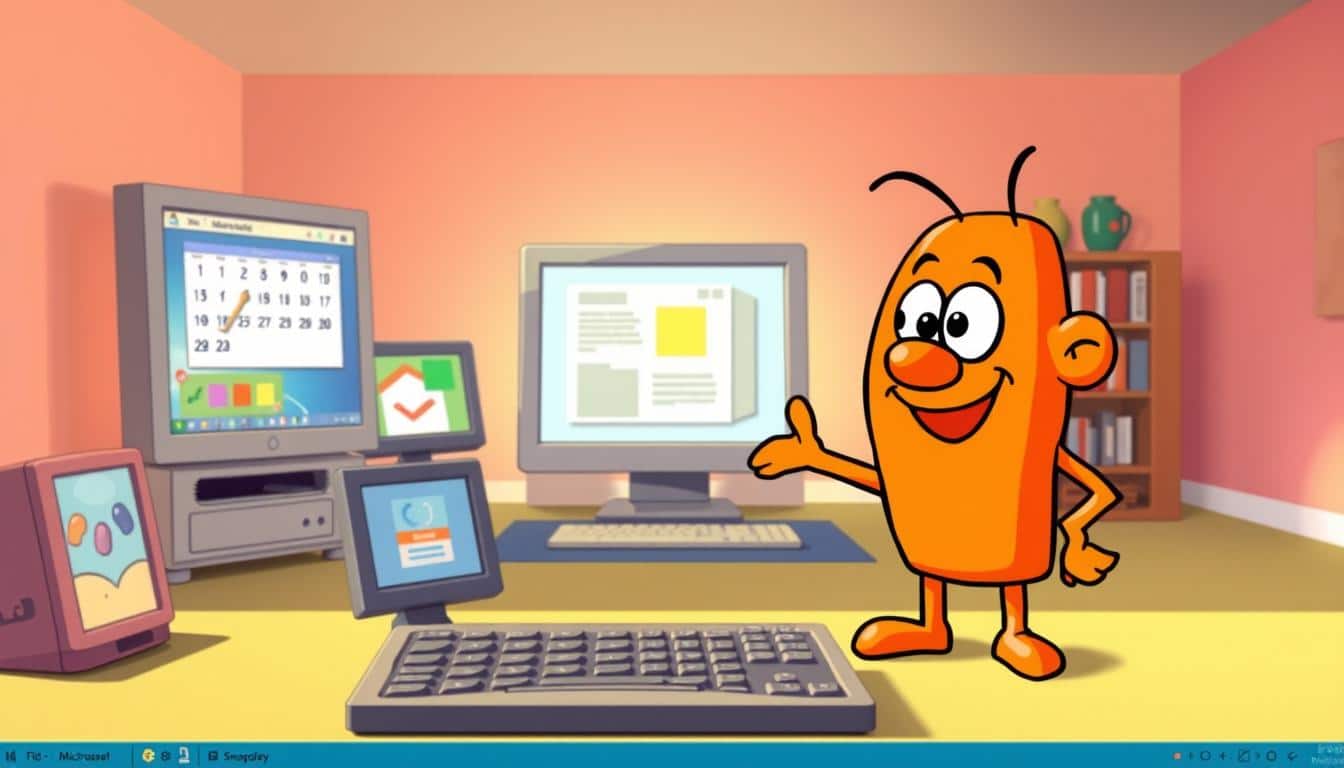
What made Microsoft Bob so strange? The software tried replacing traditional menus and icons with a cartoon house. Anthropomorphic characters called “guides” helped you navigate tasks.
Bill Gates believed this approach would make computing less intimidating. Instead, users found it clunky and frustrating. But diving into how the microsoft bob interface functioned teaches you something valuable.
You’ll learn about design choices and user expectations. This beginner’s guide walks you through everything from getting Microsoft Bob running to understanding its features. I’ll share my own experience wrestling with this software.
I’ll explain what made it tick and help you navigate around its quirks. Think of this as a hands-on journey into a fascinating failure.
Key Takeaways
- Microsoft Bob was a 1995 operating system shell that attempted to simplify computing through a cartoon house interface with animated guides
- The software represents an important lesson in user interface design history and what happens when developers misread their audience
- Despite its commercial failure, Microsoft Bob introduced concepts that influenced later software design decisions
- Getting Microsoft Bob to run today requires understanding system requirements and compatibility challenges
- Exploring the microsoft bob interface firsthand helps you appreciate modern interface design principles
- This guide provides practical setup instructions and navigation tips for experiencing this historical software
What is Microsoft Bob?
Microsoft Bob stands out as one of the most unusual experiments the company ever released. Bob wasn’t your typical operating system. Instead, it was a shell interface that sat on top of Windows 3.1x.
The software tried to make computers feel less scary to everyday people. Many found traditional desktops confusing. Bob offered a friendlier way to work.
The core idea was simple but creative. Rather than showing files and folders, Bob presented a cartoon living room. Each room contained clickable objects that represented different applications and tools.
A friendly animated dog named Rover served as your assistant. He offered tips and guidance as you worked. This made computing feel more personal and approachable.
This approach reflected Microsoft’s belief that standard desktops were too technical. The team wanted something that felt more like a home. They aimed to create a comfortable computer workspace.
Overview of Microsoft Bob
Bob’s design philosophy centered on accessibility. Instead of cryptic error messages, you’d get friendly dialogue from Rover. The interface used natural language that everyday users could understand.
- Cartoon-based living room interface
- Animated assistant character (Rover)
- Click-to-interact object design
- Simplified file management through room organization
- Built-in applications tailored for home users
Historical Context and Release Date
The microsoft bob history begins in March 1995. This was a pivotal moment just before Windows 95 launched. Bill Gates and his team believed home users needed something gentler.
The product priced at around $99. This felt expensive for the very beginners it targeted. Many couldn’t justify the cost for what it offered.
Interestingly, Melinda French worked as a product manager on this project. She later married Bill Gates. Her involvement added another layer to the software’s legacy within Microsoft’s corporate story.
| Aspect | Details |
|---|---|
| Launch Date | March 1995 |
| Base Operating System | Windows 3.1x Shell |
| Price Point | Approximately $99 |
| Target Audience | Beginning home computer users |
| Key Feature | Animated assistant and room-based interface |
The timing was curious. Windows 95’s arrival changed everything about how people interacted with computers. Bob’s friendly approach became less necessary as the new system improved user-friendliness.
The system requirements made Bob impractical for many beginners. The software demanded more processing power than entry-level computers had in 1995. This gap between ambition and practicality shaped how people remembered this vintage Microsoft software venture.
Key Features of Microsoft Bob
Microsoft Bob broke from traditional desktop computing by introducing a room-based interface. The software tried to make technology feel more like navigating a real home. You launched the bob assistant program and entered a cartoon-like living room filled with furniture.
Each room served a different purpose, and you could customize them to match your style. This was a bold departure from command-line interfaces and rigid window layouts. The approach proved unconventional for many users.
The design philosophy behind Bob stemmed from making computers less intimidating. Every action flowed through this metaphorical space. Productivity tasks felt like moving through different areas of your home.
User Interface Design
The room metaphor formed the core of Bob’s visual experience. You could navigate between spaces like the living room, kitchen, family room, and study. Each space contained relevant tools and applications.
Customization options let you change furniture, wall colors, and decorations to create a personalized environment. This graphical approach aimed to reduce anxiety around technology. It created a familiar, home-like setting rather than abstract menus and icons.
Notable Functionalities
Microsoft Bob came bundled with practical applications that operated within this unique interface:
- Calendar for scheduling and date management
- Checkbook program for financial tracking
- Address book for storing contacts
- Email program for messaging
- Letter Writer for document creation
The bob assistant program featured animated helper characters designed to guide you through tasks. You could choose from options like Rover the dog assistant, Scuzzy the rat, or other characters. These assistants would offer tips and explanations.
These characters represented an early attempt at conversational computing. Microsoft wanted to make technology feel more personal and approachable through character-based guidance. The rover dog assistant became particularly memorable as a friendly guide through Bob’s features.
Comparison with Other Microsoft Products
Bob’s launch coincided with Windows 95, which featured a completely different approach to interface design. Windows 95 provided a cleaner, icon-based desktop that users could understand quickly. Bob emphasized immersion and metaphor, while Windows 95 prioritized efficiency and simplicity.
This fundamental difference in philosophy helped Windows 95 gain rapid adoption. Bob faded from the market during this same period.
| Feature | Microsoft Bob | Windows 95 |
|---|---|---|
| Interface Style | Room-based metaphor | Desktop with icons |
| Navigation | Move between rooms | Click folders and icons |
| Learning Curve | Steep (novel concept) | Moderate (familiar metaphor) |
| User Adoption | Low | Rapid and widespread |
An interesting legacy emerged from Bob’s failure. Clippy, the assistant character that survived into Microsoft Office, became infamous rather than beloved. Comic Sans, the distinctive font created specifically for the bob assistant program, outlived the software itself.
These elements proved more memorable than Bob’s core innovation. Individual features sometimes matter more than the overall product vision.
Getting Started with Microsoft Bob
You need to understand what your computer needs to run this unique software. Getting Bob up and running involves checking your system, installing the program, and personalizing your workspace. This section walks you through each step so you can start using Bob without confusion.
System Requirements
Back in 1995, running Microsoft Bob required decent computer hardware for that era. Your machine needed a 386 processor as a bare minimum. A 486 was strongly recommended for smooth performance.
RAM requirements sat at 8 megabytes. This sounds tiny today but represented significant memory back then.
The software demanded roughly 30 megabytes of hard drive space for installation. You also needed Windows 3.1 or later to support windows 95 software compatibility. People who could afford computers meeting these specs typically didn’t need Bob’s simplified interface.
Modern users wanting to experience Bob today have options. Running the program through DOSBox or virtual machine software lets you test this vintage operating companion. A microsoft bob download from legitimate retro software archives makes testing possible on contemporary machines.
| Component | Minimum Requirement | Recommended Requirement |
|---|---|---|
| Processor | 386 | 486 or higher |
| RAM | 8 MB | 16 MB |
| Hard Drive Space | 30 MB | 50 MB |
| Operating System | Windows 3.1 | Windows 95 or later |
| Display | VGA (640×480) | SVGA (800×600) |
Installation Process
Installing Microsoft Bob brought its own experience. The setup began with inserting floppy disks or a CD-ROM into your drive. The installation wizard would launch and guide you through basic steps.
The software asked personal questions during setup. This attempted to customize your experience before you’d even started using it.
Bob wanted to know your interests, your work habits, your preferences. This personal questioning aimed to tailor the interface specifically for you. The whole installation sequence took patience, especially with floppy disks requiring multiple disk swaps.
Follow these installation steps:
- Insert installation media (CD-ROM or first floppy disk)
- Open the setup file from the media
- Accept the license agreement
- Answer questions about your interests and usage patterns
- Select installation directory on your hard drive
- Wait for file copying to complete
- Restart your computer when prompted
- Launch Microsoft Bob for the first time
Setting Up Your Workspace
Your first interaction with Bob involved choosing your assistant character. The options included Rover the dog, a rabbit, a cat, and a butler named Merlin. I always chose Rover because he felt straightforward—no pretense, just a dog helping you navigate.
The initial room setup let you decorate your virtual space. You selected wall colors, added furniture, and arranged the desktop with application icons. This customization phase felt charming in some moments, condescending in others.
These setup elements included:
- Assistant character selection
- Room background and decoration choices
- Application shortcuts arrangement
- Color scheme preferences
- Assistant personality settings
Once you finished these setup steps, Bob became your persistent digital companion. The interface stood ready for actual work. You’d soon discover the gap between Bob’s friendly intentions and real productivity.
Navigating Microsoft Bob
You’ve installed Microsoft Bob and set up your workspace. Learning how to move through the microsoft bob interface is your next challenge. The interface works differently than most traditional operating systems.
Instead of clicking through folders and menus, you click on objects within rooms. This spatial approach to computing requires a new way of thinking. It changes how you organize your digital life.
Getting comfortable with the microsoft bob interface means understanding one thing. Everything happens through interaction with objects. Your clock opens the calendar.
Your checkbook manages finances. A pen and paper let you write letters. This object-based design was meant to feel intuitive.
Understanding the Interface
The microsoft bob interface centers on a series of connected rooms. You navigate them like walking through a house. Doorways let you move between spaces.
At the bottom sits a toolbar with essential controls. Bob tried to hide it from view. Your cursor changes when hovering over clickable objects.
Learning these clickable zones takes practice. What looks like decoration might actually be functional. The spatial memory aspect meant you had to remember which room stored which tools.
This differed dramatically from the Windows Start menu approach. Everything lived in one searchable location there.
- Click objects to launch applications and open files
- Use doorways to move between different rooms
- Watch for cursor changes indicating interactive elements
- Access the bottom toolbar for core navigation functions
- Remember object locations for faster workflow
Customizing Your Environment
One of the more enjoyable aspects involves personalizing your digital space. You can rearrange furniture and change wallpaper colors. You can create entirely new rooms and adjust your assistant’s personality settings.
Rover, your animated helper, could become chattier or quieter. It all depended on your preferences.
Customization was supposed to create ownership and comfort within your workspace. Some users found genuine satisfaction arranging their virtual office. Others discovered that personalization became a time sink.
The interface encouraged experimentation, sometimes at the expense of productivity.
Accessing Help and Support
You might get stuck navigating the microsoft bob interface. Rover appeared ready to help. This animated assistant could explain features and guide you through tasks.
Sometimes Rover understood exactly what you needed. Other times, you’d need to dig into the actual help documentation. You might even need to exit Bob entirely.
The interface included an emergency exit to the underlying Windows 3.1 system. This safety valve proved essential when Bob’s logic didn’t match your needs. I once spent twenty minutes trying to find a file within Bob’s rooms.
I abandoned the interface and used Windows directly. That experience taught me something important. Bob worked best as a supplementary tool rather than a complete replacement.
- Use Rover for basic questions and feature explanations
- Consult help documentation when Rover falls short
- Access Windows 3.1 directly when necessary
- Keep the interface documentation nearby for reference
Using Microsoft Bob for Productivity
You might wonder if this quirky interface can help you get work done. The answer is mixed. Microsoft Bob came with built-in applications for everyday tasks.
The bob assistant program included tools ranging from useful to frustratingly basic. It depended on what you needed to accomplish.
I found the bob assistant program worked best for specific tasks. You had to know when to switch back to Windows. The interface looked friendly with animated characters guiding you through rooms.
Those animations consumed system resources that slowed everything down. This made other programs run slower on your computer.
Built-In Tools and Applications
The bob assistant program featured several core applications spread across different rooms. Each room used a house metaphor. Let me break down what each tool did:
- Calendar – Handled basic scheduling and reminders, though navigation felt clunky
- Address Book – Organized contacts reasonably well for 1995 standards
- Checkbook – Tracked finances simply, good for basic accounting
- Email Program – Required separate internet setup and felt awkward to use
- Letter Writer – Offered simplified word processing with preset templates
Each tool in the bob assistant program had its purpose. The calendar worked fine for tracking appointments. The address book managed contacts decently.
The checkbook performed basic financial math without complications. The email client needed separate internet configuration. Most users found this tedious.
Productivity Tips
Using the bob assistant program effectively meant learning a few tricks. The animated assistant could become annoying during real work. I discovered keyboard shortcuts that let me skip room navigation entirely.
| Strategy | Benefit | Difficulty |
|---|---|---|
| Organize rooms by task type | Faster workflow and better focus | Low |
| Disable animated characters | More processing power available | Low |
| Use keyboard shortcuts | Skip unnecessary clicking | Medium |
| Switch to Windows for heavy tasks | Better performance with complex work | Low |
The bob assistant program worked best with accepted limitations. Organize your workspace by actual function rather than metaphorical room design. This made navigation smoother.
Turning off the animated assistant freed up valuable memory. Machines rarely had much memory to spare back then.
Integrating Microsoft Bob with Other Software
The bob assistant program sat on top of Windows, not inside it. You could run other Windows applications simultaneously. The bob assistant program’s resource demands created real performance problems.
Running Word or Excel alongside Bob often caused noticeable slowdowns. You could access Windows File Manager from within the interface. This gave you a pathway back to traditional computing.
Serious productivity work required dropping out of Bob’s friendly interface. The bob assistant program worked best as a gateway for beginners. It was not a complete productivity solution.
Power users opened the bob assistant program for scheduling and basic tasks. Then they switched to native Windows applications for complex work.
Troubleshooting Common Issues
Getting Microsoft Bob to work smoothly requires patience and practical problem-solving skills. I’ve encountered plenty of frustrations while working with this vintage software. I want to share what I’ve learned.
Most problems have straightforward solutions. Let me walk you through the most common headaches and how to fix them.
Common Installation Problems
A microsoft bob download on older machines reveals demanding software requirements. The biggest culprit is RAM requirements. Bob needs at least 8 MB of RAM to install, but 16 MB to run decently.
On minimum-spec machines, the program installs but crawls along painfully slow.
Video driver conflicts represent another major installation barrier. The cartoon graphics sometimes glitch or vanish entirely. Older video cards don’t play well with Bob’s rendering system.
Sound card compatibility issues are equally frustrating. Your assistant might install perfectly, yet remain silent.
Here are the most common installation obstacles you’ll face:
- Insufficient hard drive space (Bob demands 10-15 MB free)
- RAM conflicts causing installation failure
- Video driver incompatibility creating display problems
- Sound card recognition failures
- Windows version mismatches
Solution tip: Before attempting any microsoft bob download, verify your system meets minimum requirements. Check your available disk space by right-clicking your hard drive in File Manager. Uninstall conflicting software like competing personal assistants.
Interface Navigation Issues
Once Bob runs, you’ll encounter navigation challenges that test your patience. Users frequently get lost within their own room structure. The interface feels intuitive at first glance.
It becomes confusing when you’ve created multiple custom rooms.
| Navigation Problem | Cause | Quick Fix |
|---|---|---|
| Getting lost in room structure | Too many custom rooms created | Return to home room using main menu |
| Accidentally deleted rooms | Accidental button clicks | Restart application to recover |
| Assistant stuck in loops | Program glitch or crash | Force quit and restart Bob |
| Performance degradation | Too many rooms and objects added | Delete unused rooms and objects |
| Lost preferences after crash | Unsaved configuration settings | Manually reconfigure settings |
The assistant sometimes gets trapped in unhelpful suggestion loops. It offers the same advice repeatedly. Performance naturally degrades as you add more rooms and custom objects.
The notorious preference-loss issue strikes when Bob crashes. Your carefully configured settings vanish.
Finding Technical Support
Here’s the honest truth: Microsoft abandoned Bob decades ago. Getting help in 2024 requires creative thinking. Traditional Microsoft support won’t assist with this vintage software.
- Internet Archive (archive.org) – Access archived Bob documentation and user manuals
- Vintage computing forums – Communities dedicated to 1990s software discuss Bob troubleshooting regularly
- Reddit communities – Subreddits like r/retrocomputing welcome Bob questions
- Emulation communities – DOSBox and Windows 95 emulation forums offer installation guidance
- Enthusiast blogs – Dedicated retro-computing bloggers have documented fixes
Be specific about your problem. Describe your system specifications and what happens during microsoft bob download or installation. Include any error messages you see.
Vintage computing enthusiasts appreciate detailed questions and respond generously.
Troubleshooting 30-year-old software demands patience and humor. You’re essentially pioneering solutions that nobody has needed in years. Embrace the challenge—that’s part of what makes vintage computing rewarding.
User Statistics and Popularity
The numbers behind vintage Microsoft software like Bob reveal a product in serious trouble. Microsoft launched Bob in 1994, expecting mainstream success. The reality told a very different story.
Bob’s market performance stands as one of Microsoft’s most notable failures. The software sold fewer than 100,000 copies before discontinuation in early 1996. Windows 95 sold 7 million copies in its first five weeks alone.
That gap shows how badly vintage Microsoft software like Bob missed its target.
Usage Statistics Over Time
Bob’s decline followed a predictable pattern. Initial curiosity drove early sales, especially among tech enthusiasts and parents. Within months, word-of-mouth criticism killed momentum entirely.
Microsoft officially supported the product until 1999. However, real-world usage had already dried up.
| Time Period | Market Performance | User Sentiment |
|---|---|---|
| Launch (1994) | Initial Interest | Curiosity-Driven Purchases |
| Months 2-6 | Rapid Decline | Negative Reviews Spread |
| Year 2 (1995-1996) | Market Collapse | Widespread Disappointment |
| Official Support End (1999) | Minimal Usage | Legacy Software Status |
Demographic Breakdown of Users
Microsoft targeted computer novices, older users, and families with children. The actual audience turned out quite different. Tech enthusiasts purchased Bob out of curiosity about vintage Microsoft software.
Parents bought it hoping their kids would learn computing basics. Neither group represented the mainstream audience Microsoft envisioned.
The disconnect between intended and actual users mattered tremendously. System requirements excluded true beginners who lacked compatible computers. The interface patronized experienced users.
Children found it boring compared to actual games. Expectations and reality collided head-on.
Comparison with Current Productivity Tools
Examining Bob alongside modern productivity tools reveals something interesting. Bob attempted solving problems that smartphones actually solved successfully fifteen years later. The room metaphor Bob used mirrors how modern apps organize information.
The assistant concept Bob pioneered evolved into Siri and Alexa. The simplified design philosophy lives on in iOS and Android interfaces.
The crucial difference lies in execution. Bob felt condescending to its audience. Modern interfaces feel genuinely intuitive.
Bob forced users into an artificial environment. Current tools adapt to user preferences naturally. Vintage Microsoft software like Bob had the right ideas but terrible implementation.
- Bob’s room metaphor versus modern app-based organization
- Animated assistant concept versus voice assistants today
- Oversimplified design versus truly accessible interfaces
- Insulting tone versus respectful user experiences
Understanding Bob’s failure teaches us about product design. The statistics show that good intentions cannot overcome poor execution. Vintage Microsoft software like Bob remains a valuable lesson in listening to actual users.
Graphical Insights into User Engagement
Understanding how people used Microsoft Bob requires looking at real engagement patterns. The data tells a fascinating story about adoption and lasting cultural impact. I’ve studied the engagement trends, popular features, and what future usage might look like.
This microsoft bob history reveals much about why some products succeed. Others fade into obscurity.
The engagement story breaks down into distinct phases. Microsoft Bob launched in March 1995, and initial excitement drove adoption upward quickly. The novelty of an animated assistant with a customizable room interface appealed to many users.
Within months, however, interest crashed dramatically as Windows 95 previews began circulating. People realized Bob consumed significant system resources.
Engagement Trends Over the Years
The usage pattern shows a sharp spike-and-crash typical of failed products. After the initial 1995 collapse, engagement flatlined through most of the late 1990s and 2000s. Small resurgences appeared at unexpected moments.
Interest spiked when Comic Sans gained notoriety and people learned about Bob’s origins. Later, tech history coverage of Microsoft’s failures brought renewed attention.
Recent years brought renewed interest through vintage computing communities. Emulation software allows nostalgic users and retro enthusiasts to experience Bob without period-correct hardware. This has created small but steady engagement bumps.
Tech YouTubers and technology bloggers rediscover and review the software regularly. This drives continued interest in the platform.
Popular Features Illustrated
Feature usage data reveals surprising patterns. The address book and calendar saw modest utility among users. The email program rarely got configured properly.
The checkbook application experienced some adoption. The letter writer faced competition from Microsoft Word and saw minimal engagement.
What captured user attention most was the room customization feature. People spent more time decorating their virtual spaces than completing actual work. This preference for aesthetic customization over productivity tools became one of Bob’s defining characteristics.
Users enjoyed creating personalized environments in ways that distracted from functional goals.
- Address Book: Modest adoption and regular use
- Calendar: Basic utilization by committed users
- Room Customization: Highest engagement and enjoyment levels
- Email Program: Poor configuration and adoption rates
- Letter Writer: Minimal use due to Word availability
Predictive Graphs for Future Usage
Looking forward, Bob’s usage trajectory shows continued growth in niche communities. Emulation enthusiasts and software preservationists ensure the application remains accessible. The prediction indicates flat-to-slightly-increasing interest as vintage software appreciation grows stronger.
Younger technology enthusiasts discovering computing history drive this trend.
The most intriguing observation involves Bob’s cultural impact versus actual usage. The software’s influence on assistant interfaces, simplified user designs, and Comic Sans prominence far exceeds adoption. A graph measuring cultural impact would look dramatically different from one measuring actual users.
Bob’s legacy shaped how companies approach user interface design. This makes it one of Microsoft’s most influential failures in the broader microsoft bob history.
Frequently Asked Questions About Microsoft Bob
People still ask about Microsoft Bob decades after its release. These questions come up regularly in retro computing communities and vintage software forums. I’ve gathered the most common inquiries and provided straightforward answers based on real-world experience.
What Systems Can Run Microsoft Bob?
Microsoft Bob ran originally on windows 95 software systems, though it also worked with Windows 3.1 and Windows 3.11. The minimum requirements included a 386 processor and 8MB of RAM. Back then, those specs felt cutting-edge.
Running Bob on modern computers requires emulation. You have several practical options:
- DOSBox with Windows 3.1 installed inside it
- VirtualBox or VMware running Windows 3.x or Windows 95 as a virtual machine
- Specialized retro computing setups using vintage hardware
Bob won’t launch directly on Windows 10, Windows 11, or modern macOS. The underlying architecture simply doesn’t exist anymore. Emulation remains your best path forward if you want to experience this software firsthand.
How Does Microsoft Bob Compare to Modern Alternatives?
Bob served as the clippy predecessor that pioneered the “helpful assistant” concept in computing. The animated helper eventually evolved into Clippy, then into today’s voice assistants like Siri and Alexa.
The crucial difference lies in execution. Bob felt patronizing and added complexity rather than reducing it. Modern simplified interfaces succeed by actually removing complications, not just wrapping them in cute metaphors.
Bob made you navigate a house to find tools. iOS, ChromeOS, and contemporary Linux distributions let you find what you need directly.
| Feature | Microsoft Bob | Modern Alternatives |
|---|---|---|
| Learning Curve | Steep despite visual design | Intuitive and straightforward |
| Assistant Integration | Animated character as clippy predecessor | Natural voice interaction |
| Task Completion | Multiple clicks through environments | Direct access to functions |
| User Satisfaction | Mixed reviews and frustration | High adoption and positive feedback |
Where Can I Find Additional Resources?
Several reliable sources host Bob materials and documentation:
- The Internet Archive maintains archived Bob documentation and disk images
- WinWorld offers downloadable vintage software versions
- YouTube contains numerous demonstrations and historical reviews
- Reddit communities like r/retrobattlestations discuss Bob occasionally
- Tech history sites including Ars Technica and The Verge feature detailed retrospectives
The original Bob manual exists as a PDF in multiple archives. Reading it provides genuine insight into mid-1990s UI thinking.
It’s worth exploring if you want to understand why this ambitious project ultimately failed. The manual reveals the genuine desire to simplify computing, even if the execution missed the mark.
Tools and Resources for Microsoft Bob Users
Finding the right resources when exploring Microsoft Bob can transform your experience from frustrating to rewarding. Having access to communities and learning materials makes all the difference for vintage software enthusiasts. I’ve discovered that the best way to learn about Bob involves tapping into online communities and archived documentation.
These tools become invaluable assets for your journey. They help you understand computing history better. You’ll find guidance for using the software and troubleshooting common issues.
Online Communities and Forums
Connecting with other enthusiasts opens doors to shared knowledge and troubleshooting help. Several active communities welcome vintage software discussions about Bob’s quirks and limitations. VOGONS forum remains one of the most respected spaces for vintage computing conversations.
Reddit’s vintage computing communities buzz with threads about retro software, including Bob-specific discussions. Discord servers dedicated to 1990s software nostalgia provide real-time chat opportunities with fellow explorers. Facebook groups focused on 90s nostalgia often feature members who remember Bob from its original release.
Be specific about your issues when posting questions in these spaces. Acknowledge that Bob is decades old, and don’t be surprised by lighthearted humor about the software. Most community members genuinely enjoy helping newcomers navigate vintage applications.
Recommended Add-Ons and Enhancements
Third-party support for Bob was limited even during its active years. Finding enhancements requires patience and exploration today. Additional room templates circulated among users in the mid-1990s, offering different visual environments beyond the default space.
Alternative assistant characters became available as community modifications. Modern enthusiasts have created utilities that bypass some of Bob’s original limitations. These tools expand what the software can accomplish.
| Enhancement Type | Purpose | Availability |
|---|---|---|
| Room Templates | Customize visual workspace environment | Retro software archive sites |
| Assistant Characters | Replace default guides with alternatives | Community forums, vintage software repositories |
| Utility Programs | Extend functionality beyond original design | VOGONS forum, dedicated Bob enthusiast sites |
| Archival Tools | Extract graphics and sounds for preservation | GitHub repositories, retro computing projects |
Learning Resources and Tutorials
Discovering how Bob actually works begins with tapping into existing documentation and video content. Archive.org preserves original Microsoft documentation from the 1990s, offering authentic information about features and operation. Contemporary magazine reviews from PC Magazine and Windows Magazine provide historical context and practical usage guides.
YouTube channels like Lazy Game Reviews have produced comprehensive videos examining Bob’s interface and capabilities. I’ve found that hands-on experimentation beats reading every time. Bob’s straightforward design actually encourages clicking around and discovering features yourself.
This exploration method aligns with how the software was originally intended to be used. Start by trying different buttons and menu options. Write down what you discover.
Tech history podcasts occasionally cover Bob’s story, offering entertaining insights into why Microsoft created this unique software.
- Archive.org for original Microsoft documentation
- YouTube channels covering retro software history
- Tech history podcasts discussing 1990s computing
- Written retrospectives from technology journalists
- Hands-on experimentation as your primary learning tool
These resources form your support network for exploring Bob. The learning process works best when you combine community guidance with personal discovery. Each person’s experience with Bob differs based on their system configuration and curiosity level.
Conclusions and Future of Microsoft Bob
Microsoft Bob stands as a bold experiment in 1990s Microsoft products. It tried to reshape how people interact with computers. The software aimed to make computers feel less scary and more welcoming.
Bob introduced spatial interfaces, friendly assistants, and room-based navigation. These ideas were genuinely creative for their time. Despite its commercial failure, Bob sparked important conversations about user interface design and accessibility.
The core issue wasn’t Bob’s ambition. It was the gap between vision and reality. The program demanded significant system resources while targeting users without technical knowledge.
Bob proved that wrapping complexity in metaphors doesn’t remove the complexity underneath. Bob’s concepts were sound, yet the execution created frustration instead of relief. This tension makes Bob a valuable lesson for anyone studying technology history.
What Later Products Learned From Bob
Smartphones accomplished what Bob couldn’t. Touch interfaces finally made computers intuitive for regular people by removing layers. They succeeded by stripping away complexity instead of adding metaphors.
Voice assistants like Alexa, Siri, and Google Assistant are spiritual descendants of Bob’s helpful companion idea. They work because they solve actual problems without demanding extra resources. Virtual reality interfaces experiment with spatial metaphors similar to Bob’s rooms.
The next generation of AI assistants might create helpful software that learns from Bob’s mistakes. Future attempts at making computing more natural will continue. Successful approaches will strip away complexity rather than hide it behind friendly imagery.
Users don’t need a cartoon dog or virtual rooms. They need software that actually works the way they expect. The 1990s Microsoft products era taught us that good intentions matter, but execution matters more.
Bob’s Enduring Significance
Bob deserves remembrance as more than a punchline. It represents Microsoft’s willingness to take real risks during an experimental era. The software spawned Comic Sans, which became a cultural artifact despite itself.
Bob proved that metaphorical interfaces have limits when technology can’t support the concept properly. It showed that people appreciate boldness in design, even when it doesn’t work out. The lasting value of Bob sits in what it teaches through failure.
Successful products usually teach us what works. Failed experiments teach us what doesn’t. Bob genuinely tried to solve the problem of computer intimidation.
It failed, yet others eventually solved that problem through different approaches. That journey tells us something important about how technology actually improves. We learn as much from sincere attempts that miss the mark as from victories.
Bob’s place in computing history is secure not because it succeeded. It matters because it tried something meaningful and showed us what to do differently.
Sorry, the comment form is closed at this time.